1. Pick a character
Open the Character tab and tap a face. Monika, Sayori, Natsuki and Yuri are all there, and whichever you pick shows up in the preview immediately.
Want more people in the scene? Tap “Add character” — as many as you need. Snap them left / center / right, or fine-tune position, size and flip from the character list.
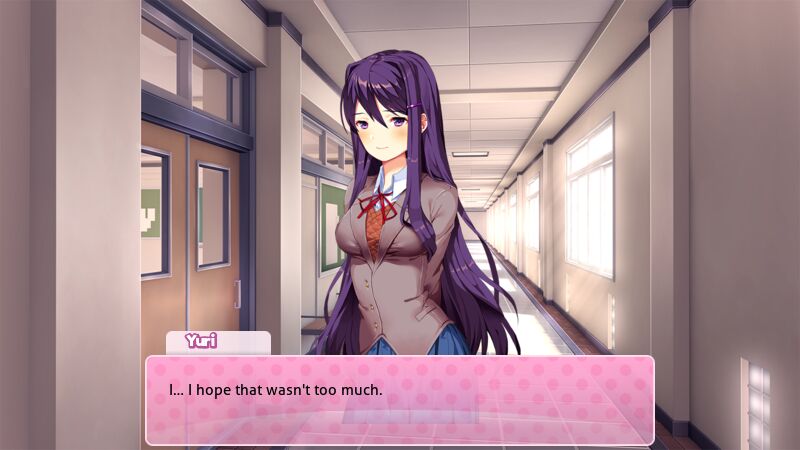
2. Pick an expression and pose
The Expression tab shows every face as a thumbnail — no file names to decode. The Pose tab covers outfits and body positions: uniform, casual, crossed arms, leaning, plus the old-art and glitch styles for the four girls.
The expression does most of the comedic work. Pick the face first, then write the line to match it.
3. Type the name and the line
The name field is the label on the small box above the dialogue. It doesn't have to match the character — swapping names is half the joke in a lot of DDLC memes.
The dialogue box fits three lines. Watch the counter above the input: it turns amber at three lines and red past that, which means the overflow will be cut off in the exported image.
4. Export and post
Hit Export image and pick a size. 9:16 is shaped for TikTok and Instagram stories; 16:9 suits Discord, Reddit and Twitter.
On a phone, Share sends the image straight into another app. Save drops it in your camera roll instead.
Tips that make them look right
Keep lines short. The game's own dialogue is rarely more than a sentence, and short lines are easier to read at thumbnail size.
Match the background to the mood — the clubroom for normal scenes, the Spaceroom for Act 3 moments, the BSOD for when things go the way DDLC scenes usually go — or upload an image of your own from the Background tab.
For a conversation, export several panels with the same background and stack them into a strip. The Text box tab can recolor the dialog box or hide it entirely — sprite-only frames make good establishing shots between lines.