What this does
Pick a character, choose an expression, type a line, and you get an image that looks like it came straight out of the game — the same text box, the same fonts, the same layout.
It runs entirely in your browser. Nothing to install, no account, and the image never leaves your device until you choose to share it.
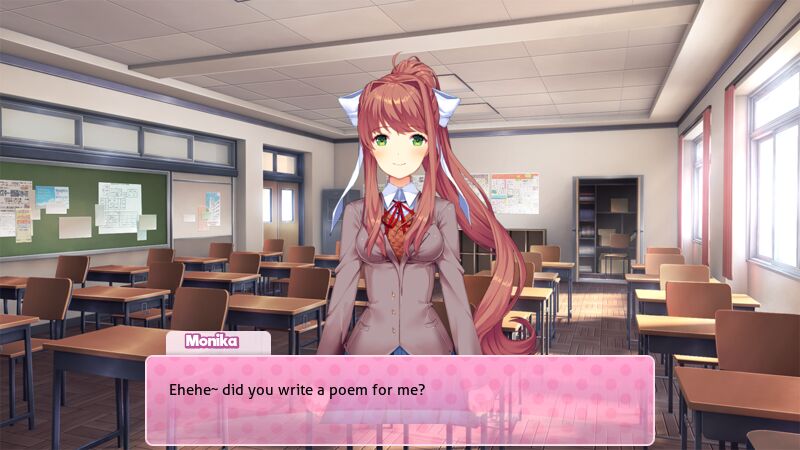
Made for the phone, not the desktop
The other DDLC dialog generators were built for desktop. They work, but on a phone you get tiny controls, drag-and-drop positioning and panels that don't fit the screen — which is a problem, because most DDLC memes are made and posted from a phone.
This one is one column, thumb-sized controls, every option a picture instead of a dropdown, and an export button that never scrolls out of reach. The editor opens on a working scene, so changing one line and exporting is the whole interaction.
Any cast size, every expression, both aspect ratios
Eight characters are here: the four club members — Monika, Sayori, Natsuki and Yuri — plus two versions of the protagonist MC, the heroine FeMC, and Amy. Each has their full expression set (up to 43 faces) with uniform and casual outfits, and the four girls also come in the original 2017 art style and the Act 2 glitch style.
Put as many of them in one scene as the joke needs — snap each to left, center or right, or move, scale and flip them freely for group shots and close-ups.
The text box itself is editable too: five color palettes, or hide it entirely for a sprites-only frame. Backgrounds include eighteen from the game — or upload your own image, which never leaves your device.
Export 9:16 for TikTok and Instagram stories, or 16:9 for Discord, Reddit and everywhere else. The vertical version fills the space above and below the scene instead of leaving black bars.